

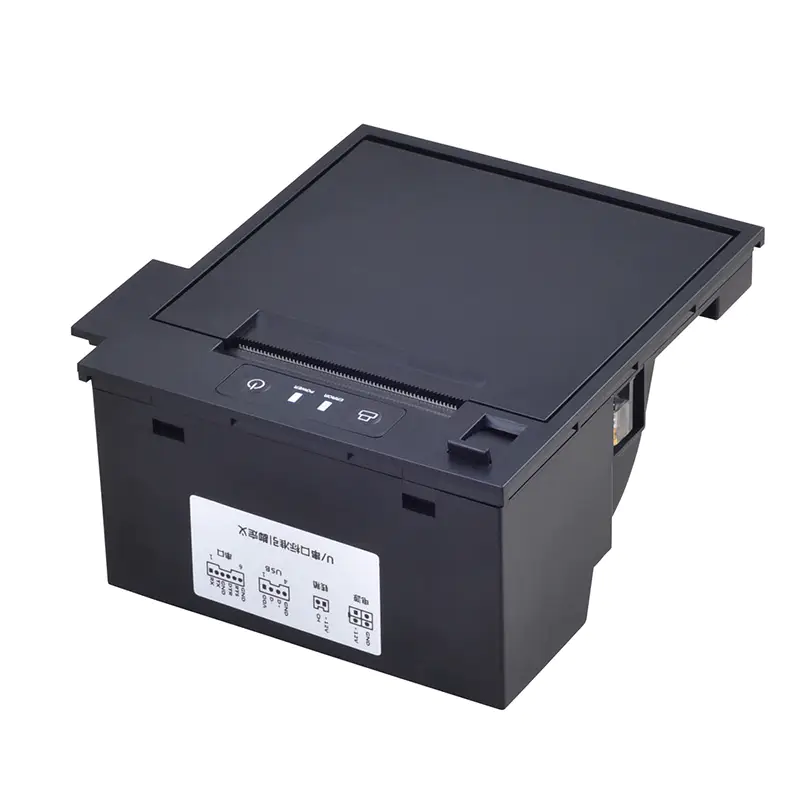
Industrial equipment often needs to produce physical records without adding a large external printer to the system. Compact printing mechanisms can provide a practical way to generate receipts, measurements, status reports, tickets, labels, and other information directly from the equipment.
A Panel Printer Manufacturer can support these applications by offering printer designs with different dimensions, interfaces, paper formats, printing speeds, and integration options. The appropriate configuration depends on the equipment, operating environment, and type of information that needs to be printed.
Understanding Application-Specific Requirements
Industrial applications rarely have identical requirements. A printer installed in a factory controller may operate differently from one integrated into a measurement instrument or self-service terminal.
Before selecting a printer, manufacturers and equipment designers typically consider several factors:
- Available installation space
- Required print width
- Paper type and capacity
- Print frequency
- Communication method
- Power supply
- Operating temperature
- Environmental exposure
- Maintenance access
- Expected service life
Understanding these requirements helps determine which printer configuration is appropriate.
Industrial Control Equipment
Control systems may need to produce operational information, event records, alarms, or process summaries. In these applications, the printer can serve as a physical record of information generated by the control system.
A compact printer can be integrated directly into a control cabinet or machine interface. Its communication interface allows the host controller to send print commands when a particular event occurs.
Reliability is especially important when printed records are part of routine monitoring or operational procedures.
Measurement and Instrumentation Equipment
Industrial measuring devices may generate numerical results that need to be documented. Examples include testing equipment, weighing systems, meters, and analytical instruments.
In these applications, print accuracy and readability are important. The printer may need to reproduce numbers, units, timestamps, test results, or other structured information clearly.
The printer’s physical dimensions can also be important because measurement equipment often has a compact internal layout.
Factory Automation Systems
Automated production equipment can use integrated printers to generate process records, inspection results, or production information.
Because automated systems may operate continuously, the printer needs to be compatible with the expected print volume and operating cycle. Paper feeding, thermal printing, and communication functions may all need to work reliably during repeated operation.
The printer can receive commands automatically from the machine, reducing the need for manual interaction.
Ticketing and Access Systems
Ticketing equipment requires compact printing hardware that can produce information quickly and consistently. Applications may include visitor management, access control, queue systems, and other automated terminals.
In these systems, the printer may be installed behind a front panel with limited space. Easy paper replacement and straightforward access to the printing mechanism can therefore be important design considerations.
Print speed may also influence the user experience when people are waiting for tickets or access documents.
Kiosks and Self-Service Machines
Self-service kiosks frequently require an integrated printer for receipts, confirmations, transaction records, or other documents.
The printer must fit inside the kiosk while allowing users or maintenance personnel to access the paper compartment. Depending on the machine design, the printer may need to support front-loading paper or other access arrangements.
Connectivity is another consideration because the printer needs to communicate reliably with the kiosk’s computer or controller.
Medical and Laboratory Equipment
Laboratory and specialized equipment may produce test results, measurement records, or other information that needs to be printed immediately.
In such environments, consistent print quality and dependable operation can be important. The printer may also need to work within a controlled physical enclosure and meet application-specific environmental requirements.
Manufacturers can evaluate the printer’s materials, paper compatibility, operating conditions, and integration method based on the equipment’s intended environment.
Energy and Utility Equipment
Utility-related systems may use printers to record readings, generate service information, or document equipment conditions.
Examples can include monitoring equipment, metering systems, and service terminals. These products may be installed in locations where maintenance access is limited, making compact design and dependable paper handling useful.
If the equipment operates in variable temperatures or other demanding conditions, environmental specifications should be considered during printer selection.
Transportation and Parking Systems
Transportation-related equipment may need to produce tickets, receipts, passes, or transaction records. Parking terminals, entry systems, and other automated machines can use compact printers to generate these documents.
The printer may experience frequent print cycles and repeated user interaction. Mechanical durability, paper-feed performance, and cutter reliability can therefore become important considerations.
Retail and Point-of-Sale Equipment
Some retail systems require integrated printing rather than a separate desktop printer. Compact printer mechanisms can be incorporated into specialized terminals and other equipment where space is limited.
Depending on the application, the printer may generate transaction receipts, service records, or other short documents.
Communication compatibility is particularly important because the printer needs to work with the system’s existing hardware and software.
Security and Monitoring Systems
Security equipment may use printers to create event logs, access records, alerts, or system reports.
A compact integrated printer allows information to be documented locally without relying entirely on digital storage. In certain applications, a physical record may be useful for immediate review or operational procedures.
The printer should be selected according to the required print frequency and the environmental conditions of the installation location.
Choosing the Right Printer Configuration
Different applications can require different printer characteristics. There is no single configuration that is ideal for every industrial system.
Consider Print Requirements
Determine the required paper width, resolution, speed, and document length. These factors help identify an appropriate printing mechanism.
Check Physical Integration
Measure the available space and verify mounting dimensions, paper access, connector positions, and service clearance.
Review Communication
Make sure the printer supports the interface and command structure required by the host system.
Evaluate the Environment
Consider temperature, humidity, vibration, dust, and other conditions that may affect printer operation.
Supporting Custom Integration
Some industrial systems cannot accommodate a standard printer without modification. In these cases, customization may involve mechanical dimensions, mounting arrangements, connector placement, firmware, or communication behavior.
A customized approach can allow the printer to become a more integrated part of the host equipment rather than functioning as a separate peripheral.
However, customization should be evaluated carefully because changes to one component can affect other parts of the system.
Prototyping for Industrial Equipment
Testing a printer in the actual target machine is often more informative than evaluating the printer separately.
During prototype integration, engineers can check:
- Physical fit
- Cable routing
- Paper loading
- Print output
- Communication
- Heat generation
- Maintenance access
- User interaction
Prototype testing can identify integration problems early, before the equipment moves into large-scale production.
Reliability for Long-Term Operation
Industrial machines can remain in service for years. The printer therefore needs to be evaluated according to the expected lifetime of the equipment.
Repeated printing, paper feeding, and cutter operations may be tested to assess mechanical durability. Environmental testing can also be considered when the printer will operate under challenging conditions.
The appropriate testing program depends on the application’s actual operating requirements.
Maintenance and Service Considerations
Even reliable printers require routine maintenance. Paper rolls need to be replaced, paper paths may occasionally require cleaning, and mechanical components can eventually experience wear.
Industrial equipment designers should consider how easily these tasks can be performed. A printer that is difficult to access may increase service time and maintenance costs.
Accessible paper loading and sensible component placement can make routine servicing more practical.
Quality and Production Consistency
When printers are incorporated into industrial products, consistent manufacturing is important. Variations between production batches can create compatibility or performance issues.
Manufacturers may use incoming component inspections, assembly checks, functional testing, and final quality inspections to maintain consistency.
For OEM equipment, documented production specifications can also help ensure that future printer batches remain compatible with previously manufactured machines.
Technical Support and Documentation
Industrial integration often requires detailed technical information. Engineers may need mechanical drawings, electrical specifications, communication commands, paper requirements, and installation instructions.
Clear documentation helps development teams integrate the printer correctly and troubleshoot potential issues.
Technical support can also be useful when the printer needs to be adapted for a new machine configuration or application.
Matching the Printer to the Industry
The best printer choice depends on the requirements of the complete system rather than the industry name alone. Two machines within the same sector can have very different printing needs.
For example, one application may prioritize compact dimensions, while another may require high print volume or advanced connectivity. Evaluating the actual operating conditions produces a more reliable basis for selecting a printer.
Conclusion
Panel printers can support a wide range of industrial applications, including control systems, measurement equipment, automation machinery, kiosks, ticketing systems, monitoring equipment, and specialized terminals.
Manufacturers support these applications by considering the complete integration process, from mechanical dimensions and printing requirements to communication, environmental conditions, reliability, and maintenance. By matching the printer configuration to the specific equipment, businesses can create integrated printing systems that are practical, consistent, and suited to their intended operating environment.