

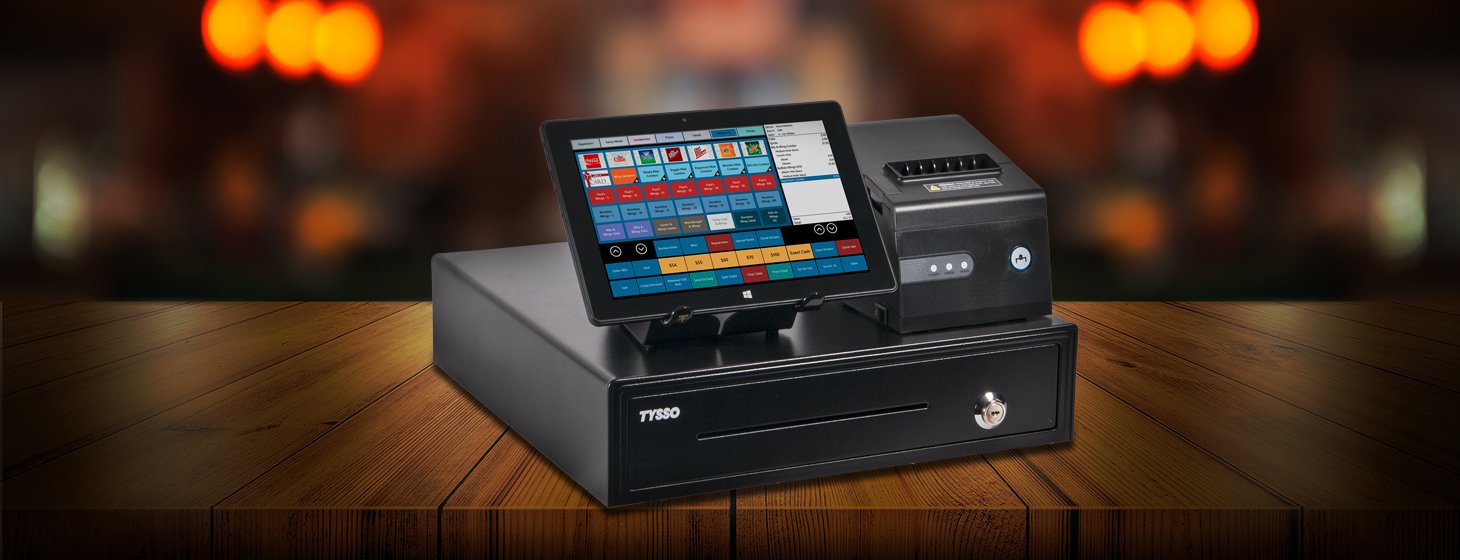
An effective point-of-sale workflow can influence how quickly employees process transactions, serve customers, and complete routine tasks. When POS hardware and connected components are properly organized, businesses can reduce unnecessary steps and create a more consistent checkout experience.
ComPOSxb can be considered as part of a POS environment designed around organized workflows. Its suitability depends on factors such as business size, transaction volume, hardware requirements, software compatibility, and the physical setup of the workspace.
Start With a Clear Checkout Process
An organized POS workflow begins with understanding how transactions move from start to finish. Businesses should identify each step employees complete, from scanning or entering products to accepting payment and providing a receipt.
Mapping this process can reveal unnecessary actions or equipment placement issues. A clear workflow also makes it easier to determine which POS components are actually needed.
Keep POS Hardware Within Easy Reach
The physical arrangement of POS equipment can affect employee efficiency. Terminals, scanners, receipt printers, and cash drawers should be positioned according to how frequently each device is used.
Keeping essential peripherals within easy reach can reduce unnecessary movement and help employees complete transactions more naturally.
Connect the Right Peripherals
Different businesses require different POS peripherals. Retail operations may rely heavily on barcode scanners, while hospitality environments may need receipt printers, customer displays, or other connected equipment.
A well-organized setup uses only the components necessary for the workflow. Reducing unnecessary equipment can help keep the checkout area easier to manage.
Maintain Reliable Connectivity
POS peripherals need dependable communication with the main terminal and software environment. Unstable connections can interrupt transactions and create delays.
Businesses should choose appropriate connection methods and organize cables carefully. Where wireless connections are used, network coverage and reliability should also be considered.
Reduce Transaction Bottlenecks
Busy checkout environments can experience delays when individual parts of the process are slower than others. A responsive terminal paired with reliable peripherals can help maintain a smoother flow.
Businesses should observe where employees regularly encounter delays and determine whether hardware configuration, equipment placement, or workflow adjustments could address the issue.
Support Employee Consistency
An organized POS environment should be easy for employees to understand and use. Consistent hardware layouts can make training simpler, particularly when multiple employees share the same checkout stations.
For businesses with several locations, using similar configurations where practical can also help employees adapt when working at different branches.
Keep the Workspace Organized
A cluttered checkout area can interfere with both employees and customers. Excess cables, poorly positioned peripherals, or unused equipment can make routine transactions more difficult.
Use appropriate mounting solutions, cable management, and equipment placement to maintain a clean workspace. An organized physical environment can complement an organized digital workflow.
Consider High-Volume Operations
Businesses with heavy customer traffic need POS equipment that can support frequent transactions without unnecessary interruptions. Hardware performance and peripheral reliability become especially important during peak periods.
When evaluating ComPOSxb, businesses should consider expected transaction volumes and whether the selected configuration can handle their normal workload.
Plan for Multiple Locations
Multi-location businesses can benefit from standardized POS workflows. Consistent terminal configurations and peripheral arrangements can simplify employee training, troubleshooting, procurement, and maintenance.
A standardized approach can also make it easier to identify replacement equipment when a device needs to be repaired or replaced.
Make Maintenance Part of the Workflow
Efficient POS operations depend on more than initial setup. Regular maintenance can help keep equipment functioning properly and identify potential issues before they interrupt transactions.
Businesses should establish simple procedures for checking connections, cleaning appropriate hardware surfaces, managing accessories, and reporting technical problems.
Prepare for Future Changes
Business requirements can change as transaction volumes increase, new locations open, or operational processes evolve. POS equipment should therefore be selected with reasonable flexibility in mind.
Consider whether additional terminals or peripherals can be integrated into the existing environment. Planning ahead can reduce the need for disruptive changes later.
Conclusion
ComPOSxb can be evaluated as part of a POS setup focused on efficient and organized workflows. The effectiveness of any POS environment ultimately depends on how well its hardware, software, peripherals, connectivity, and physical layout work together.
By mapping checkout processes, positioning equipment carefully, maintaining reliable connections, and planning for growth, businesses can create a POS workflow that is easier to manage and more consistent for employees and customers.