
Small businesses often need reliable printing solutions to manage daily tasks such as receipts, invoices, labels, and order processing. Choosing the right thermal printer can improve efficiency, reduce operational issues, and support better customer service.
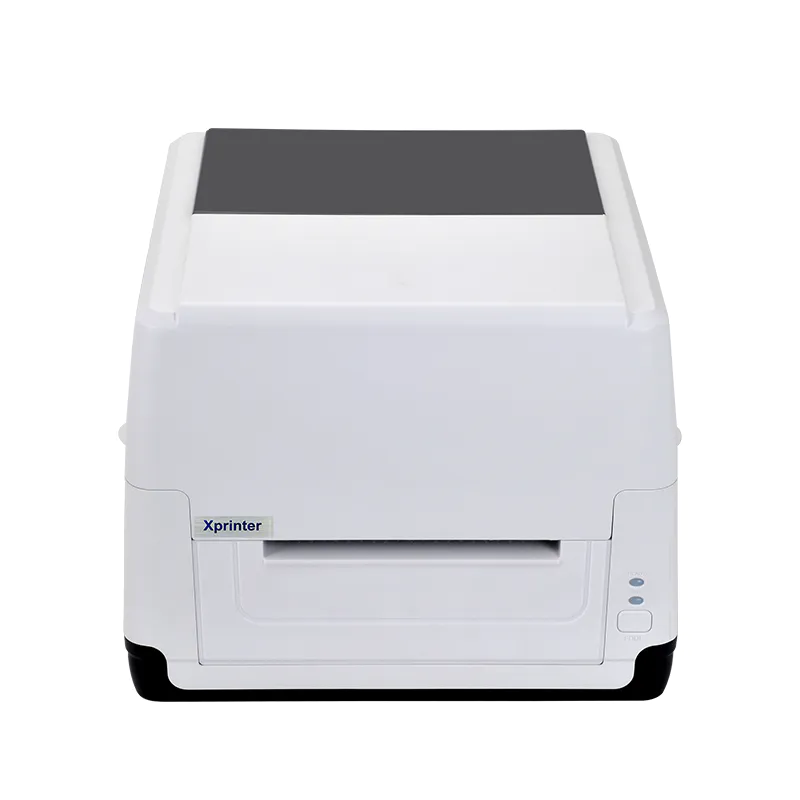
Before making a purchase, business owners should consider their specific printing needs, budget, and future growth plans. Options like Xprinter Thermal Printer are often evaluated by small businesses looking for practical printing solutions that can handle everyday operations. A proper checklist helps ensure the selected printer matches business requirements.
1. Identify Your Printing Purpose
The first step is understanding what you need the printer for. Different businesses use thermal printers for different applications.
Common uses include:
- Receipt printing for retail stores
- Order tickets for restaurants
- Barcode labels for inventory
- Shipping labels for delivery operations
- Customer invoices and records
Selecting a printer based on your main application helps avoid choosing a model with unnecessary features or insufficient capabilities.
2. Check Your Daily Printing Volume
Small businesses should estimate how many prints they need each day. A printer designed for occasional use may not perform well under heavy workloads.
Consider:
- Number of daily transactions
- Label printing frequency
- Peak business hours
- Expected future growth
Choosing equipment that matches your workload helps maintain reliable performance over time.
3. Consider Printing Speed
Speed is important for businesses that serve multiple customers or process many orders. A slow printer can create delays and affect workflow efficiency.
Before buying, check the printer’s printing speed to ensure it can handle your daily requirements without interruptions.
4. Evaluate Print Quality
Clear printing is essential for professional-looking receipts, readable labels, and accurate barcodes.
When comparing thermal printers, consider:
- Print resolution
- Barcode clarity
- Text readability
- Overall output consistency
Good print quality helps prevent errors and improves business operations.
5. Review Connectivity Options
Small businesses often use different devices and software systems. A printer should offer connection options that work with your existing setup.
Common connectivity choices include:
- USB
- Ethernet
- Wi-Fi
- Bluetooth
- Serial connection
Choosing the right connection type makes installation easier and provides greater flexibility.
6. Confirm Software Compatibility
Before purchasing, make sure the printer works with your current business systems.
Check compatibility with:
- Point-of-sale software
- Accounting platforms
- Inventory management systems
- Order management applications
Proper compatibility reduces setup problems and ensures smooth daily operation.
7. Consider Printer Size and Workspace
Small businesses often have limited counter or office space. A compact printer can help maintain an organized workspace while still delivering reliable performance.
Consider where the printer will be placed and whether the size fits your available area.
8. Check Maintenance Requirements
Easy maintenance is important for small businesses that may not have dedicated technical staff.
Look for features such as:
- Simple paper replacement
- Easy cleaning process
- Durable components
- Accessible support resources
Low-maintenance equipment helps reduce downtime and keeps daily operations running smoothly.
9. Compare Long-Term Costs
The cheapest printer is not always the most cost-effective option. Businesses should consider the total cost of ownership.
Important factors include:
- Purchase price
- Paper costs
- Maintenance expenses
- Replacement parts
- Product lifespan
A reliable printer with reasonable operating costs can provide better value over time.
10. Think About Future Business Needs
Small businesses often grow and change. A printer that meets current requirements should also support future expansion.
Consider whether you may need:
- Higher printing capacity
- Additional connectivity options
- More advanced features
- Multiple printer setups
Planning ahead helps avoid replacing equipment too soon.
Final Checklist Before Buying
Before making a final decision, review these key points:
- Does the printer match your business purpose?
- Can it handle your daily printing volume?
- Is the print speed suitable?
- Does it connect with your existing systems?
- Are maintenance and operating costs manageable?
- Can it support future business growth?
Conclusion
Buying a thermal printer is an important decision for small businesses that depend on reliable daily printing. By considering printing needs, speed, quality, connectivity, maintenance, and long-term costs, business owners can choose a solution that supports efficient operations.
A well-selected thermal printer can help small businesses improve workflow, reduce interruptions, and provide dependable service as they continue to grow.